
Labeling a Cube for Fast Reset Without Affecting Draft Randomness
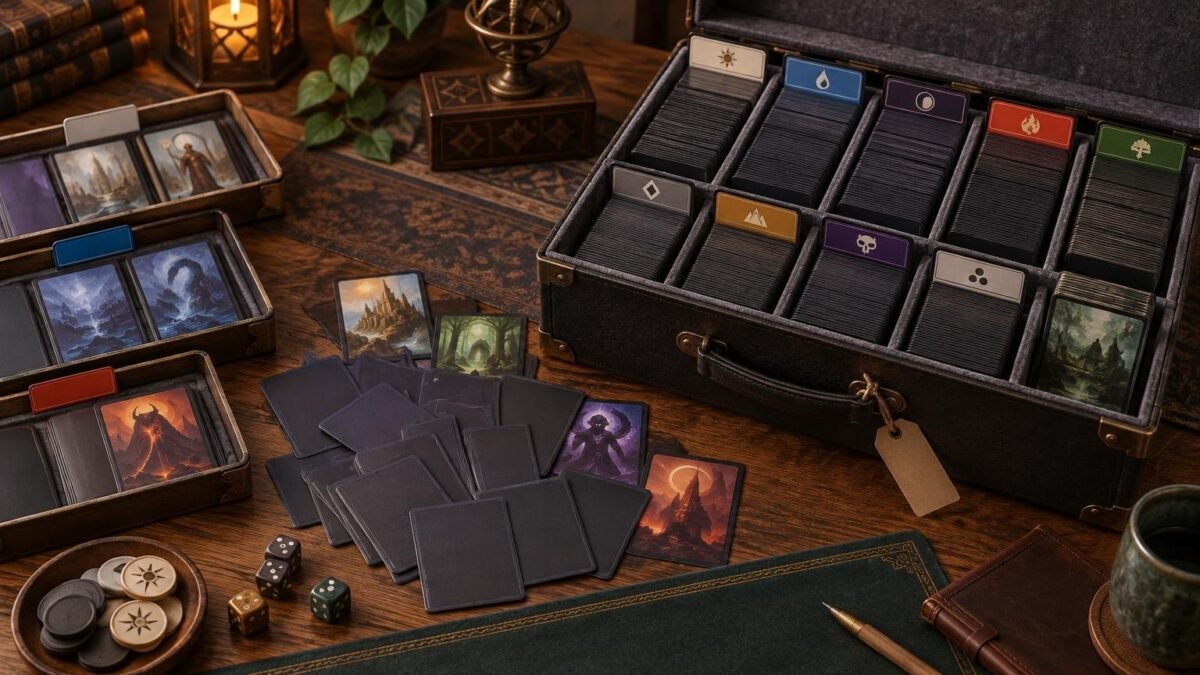
Table of Contents
The safest way to label an MTG cube is to label its storage positions, dividers, modules, and reset trays—not the individual cards or sleeves. Store the cube in known sections between events, combine those sections before shuffling, and return drafted cards to temporary sorting zones afterward. This gives you a fast reset without allowing storage categories to leak into packs.
TLDR: Separate storage order from draft order
- Give every component a labeled home in the box.
- Keep permanent labels off cards and draft sleeves.
- Use temporary trays or dividers to sort returned cards after play.
- Complete inventory and updates before randomizing the draft pool.
- Shuffle cards across storage sections rather than building packs from one section at a time.
- Track the authoritative list digitally, including tokens, double-faced cards, basics, and cards currently out for replacement.
The important distinction is that organization happens before and after the draft, while randomness governs the draft pool itself. A white-section divider is harmless when the cube is on the shelf. A white mark on every sleeve can reveal hidden information and compromise the draft.
Build a storage map around operational sections
For a conventional 360-card cube, an eight-player draft uses the entire pool when each player receives three 15-card packs. Larger cubes leave part of the list unseen, increasing variety while adding inventory and balance pressure, as the Wizards guide to building a first Cube explains. Your labeling system should therefore reflect both cube size and the portion used in a normal session.
A practical storage map might include the main draft pool, basic lands, tokens and emblems, double-faced-card references, replacement sleeves, cards awaiting review, and a small incoming-updates compartment. These are operational distinctions rather than draft collation instructions.
| Storage section | Useful label | Draft treatment |
|---|---|---|
| Main cube | Cube name and current version | Combine and randomize as one pool |
| Basic lands | W, U, B, R, G and utility lands | Keep outside packs unless the environment says otherwise |
| Tokens and emblems | Token box | Place beside the play area |
| Double-faced-card aids | DFC references | Pair with the established DFC procedure |
| Pending updates | Incoming or review | Keep outside the live pool until the list changes |
| Replacement supplies | Sleeves and temporary placeholders | Use only to restore consistency |
Within the main cube, color dividers can speed up inventory. They are especially useful when the list has defined color, gold, colorless, and land allocations. Pick one documented treatment for hybrid and multicolor cards; the specific method matters less than applying it consistently. The guide to sorting multicolor cards in a cube offers a framework for choosing that convention.
Keep labels away from the hidden draft objects
Do not write section codes on sleeves, use different sleeve colors by archetype, or place removable stickers where they can alter thickness or appearance. Even small wear patterns can identify a card. Wizards’ tournament guidance on marked cards and sleeves notes that distinctive damage or wear can mark cards, while uniform sleeves prevent that problem in sanctioned play. The same physical principle matters in a casual cube even though the environment is self-managed.
Use one sleeve model and color throughout the draft pool, and keep a reserve from the same batch when practical. Replace conspicuously split, cloudy, bent, or scuffed sleeves before the next draft. For more detail on choosing a consistent setup, see the guide to sleeving an MTG cube.
Use a two-pass reset after every draft
A reliable reset should be simple enough that the entire playgroup can follow it without knowing the cube list.
- Collect drafted decks, sideboards, and unused cards into one return area. Keep basic lands and tokens in their own trays.
- Remove temporary deck markers, reminder slips, and player-owned cards before anything returns to the cube.
- Sort the returned cube cards into broad inventory sections such as color, gold, colorless, and land.
- Count each section against the storage map. Investigate discrepancies before shuffling.
- Return tokens, emblems, and double-faced-card aids to their labeled compartments.
- Record damage, missing cards, sleeve replacements, and proposed list changes.
- Combine all active cube sections and perform the group’s normal thorough shuffle before making packs.
Maintain a digital inventory and physical version label
Treat the digital list as the authoritative inventory and the box label as a compact status display. The physical label only needs the cube name, list version or date, expected draft-pool count, and any separate component counts. Avoid putting a long card-by-card checklist inside the reset workflow.
Cube Cobra supports tags, set and collector-number exports, comparisons with earlier versions, draft records, and play analytics. Those features make Cube Cobra’s version and draft tools useful for tracking revisions without turning the storage box into a filing cabinet. Keep a separate change log with additions, cuts, printing choices, and cards temporarily unavailable.
When replacing or printing cards, exact set and collector-number information reduces ambiguity. If a refresh calls for separately printed play pieces, ProxyFoundry MTG proxies and playtest cards is one available route. Keep unofficial play pieces distinct from authentic cards; Wizards states that sanctioned events generally require authentic Magic cards, apart from judge-issued replacements for cards damaged during that event.
Give double-faced cards a documented home
Double-faced cards need a consistent procedure because taking a card out of an opaque sleeve, finding a reference card, or retrieving a second copy can interrupt resets. Label a small DFC compartment and record which method the cube uses.
Official guidance allows a double-faced card to be played in an opaque sleeve with its front visible and removed when it transforms; checklist cards are another documented method. The Wizards double-faced card rules provide the underlying procedure. A casual cube can also use a front-only reference or a separate display copy, provided every player understands the system before drafting.
Set an update cadence based on draft frequency
There is no universal schedule for updating a cube. A frequently drafted 360-card environment may benefit from small, regular batches because players see most or all of the pool each session. A 540-card cube drafted occasionally may need several sessions before the group has enough information to judge a change.
Use a pending-updates divider so proposed cards never drift into the active list accidentally. Apply changes in one batch, update the digital inventory, change the box version, verify the count, and then randomize the pool. This creates a clean boundary between versions and makes reversions straightforward.
The best label system is invisible during the draft
A strong cube storage system tells you where every component belongs while revealing nothing about the next pack. Label the box, compartments, dividers, reset trays, and version record. Keep cards and sleeves physically uniform. If your group can inventory the cube quickly, replace a damaged sleeve, find every token, and then shuffle the entire active pool without carrying section order into packs, the system is doing its job.